Find the meeting while you type.
Coming soon to the App Store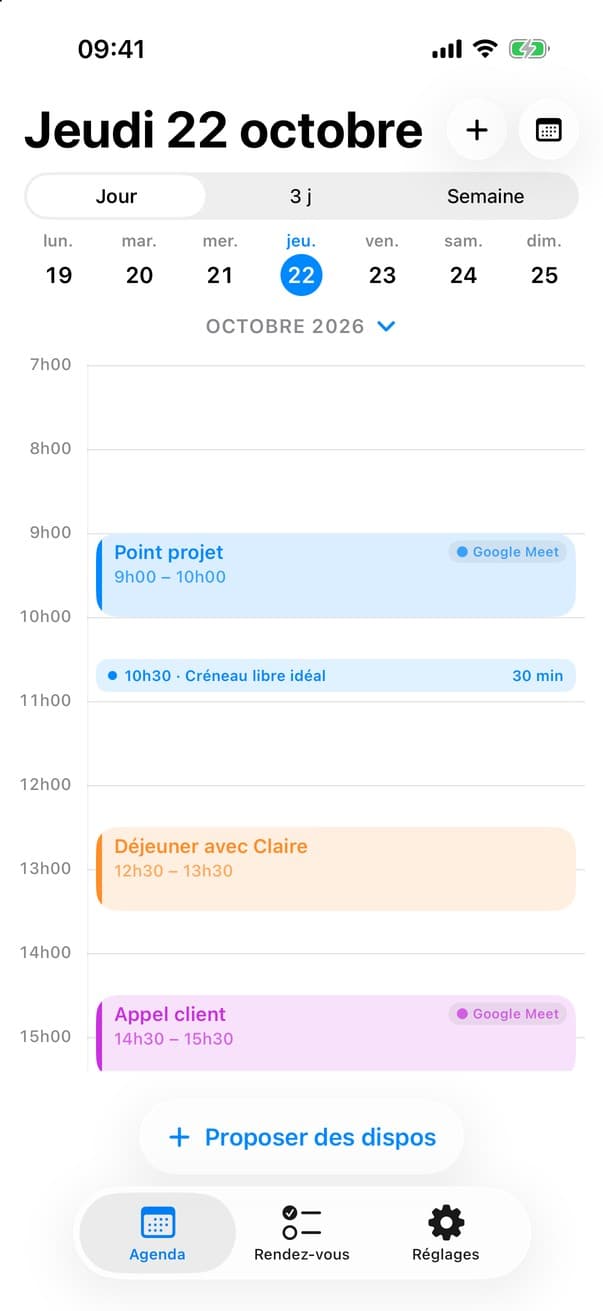
WhatsApp, WeChat, Google Chat, Slack, Teams, LINE, KakaoTalk, Telegram… HitMeUp is a keyboard, so it follows you into all your apps.
 Slack
Slack Microsoft Teams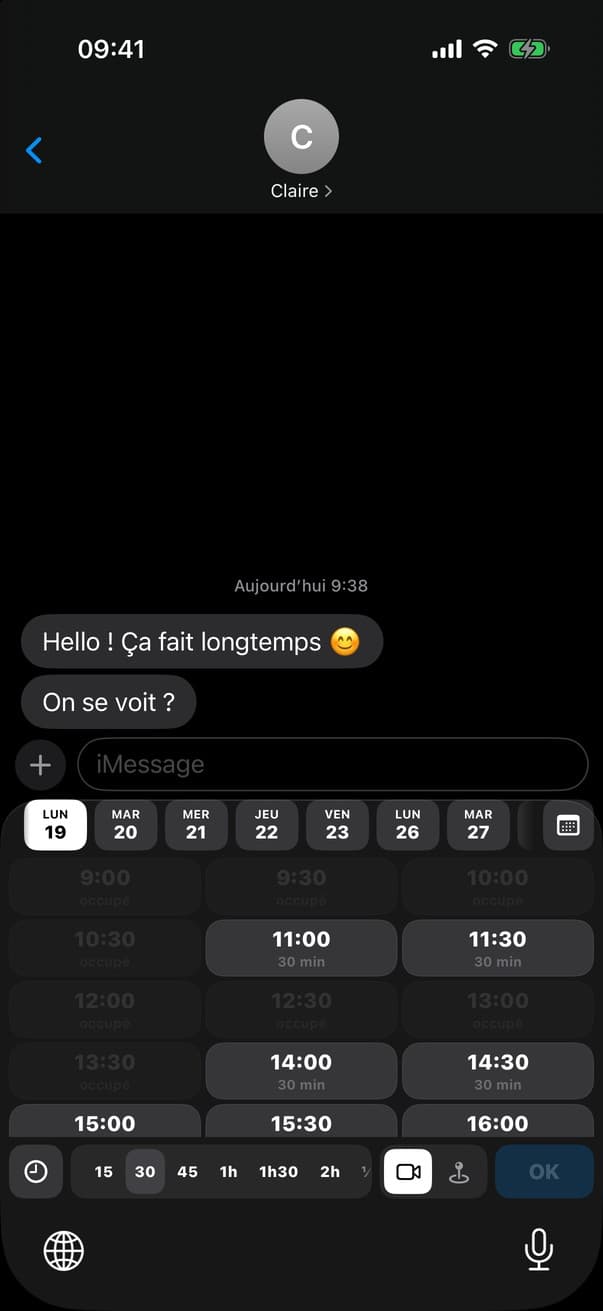

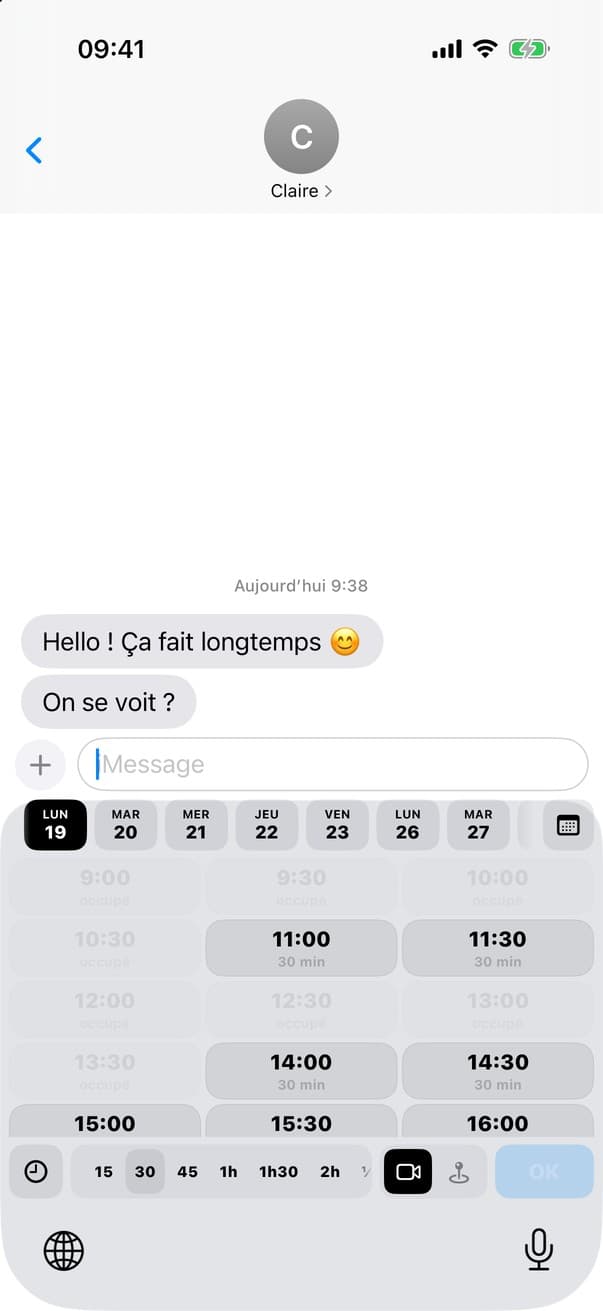
Your availability shows up above the keyboard. Tap it and it's pasted.
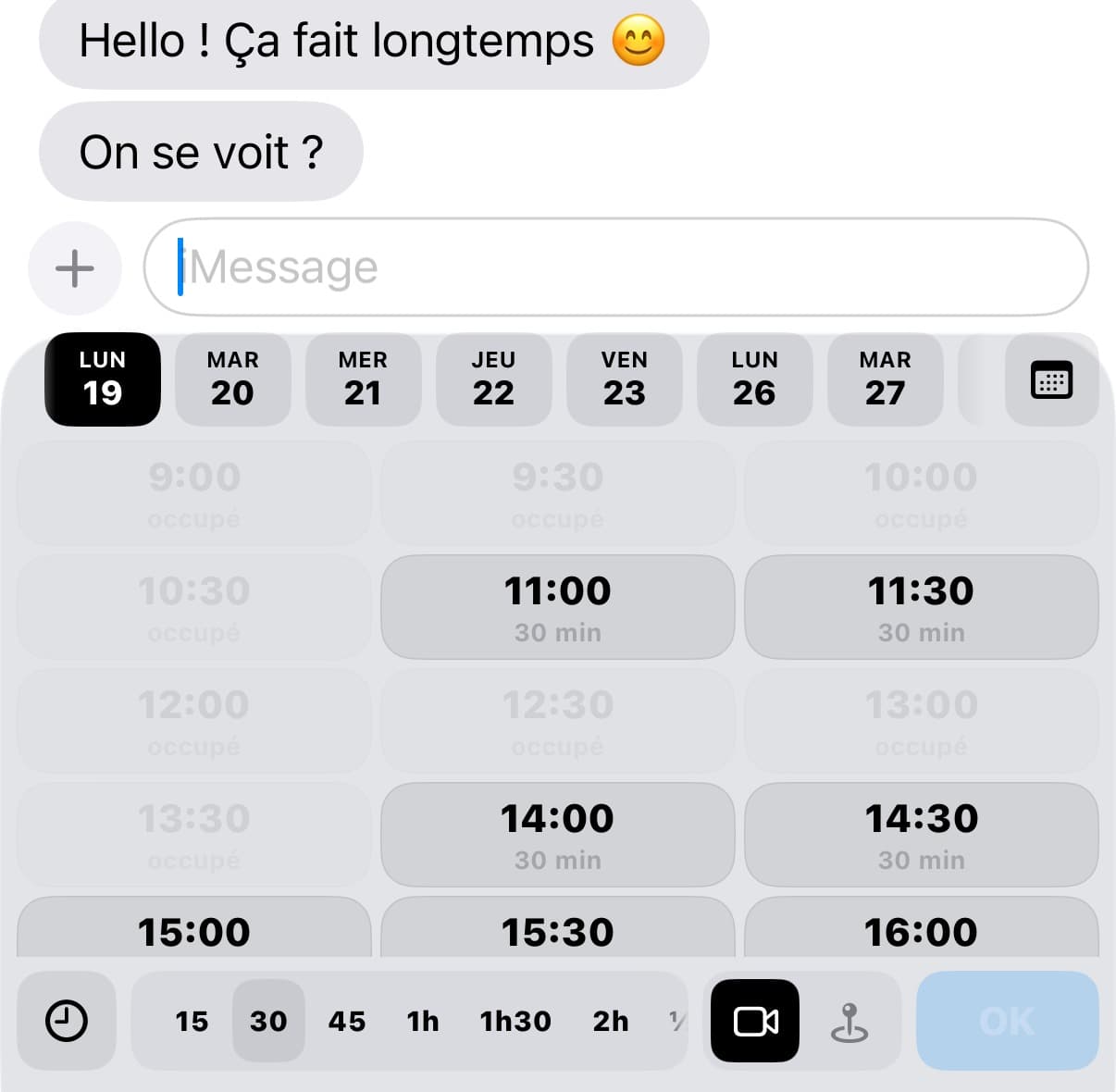
Real screenshot of the HitMeUp keyboard.

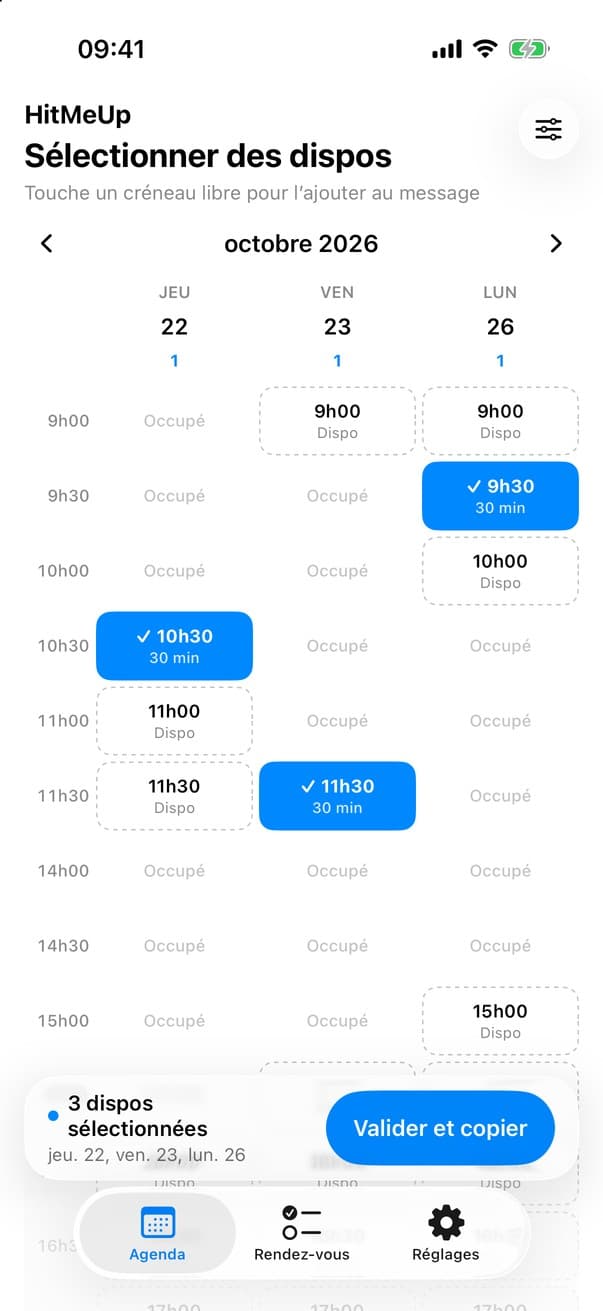
You suggest your slots, they just pick one.
Your slots go out in the message, and they choose theirs.
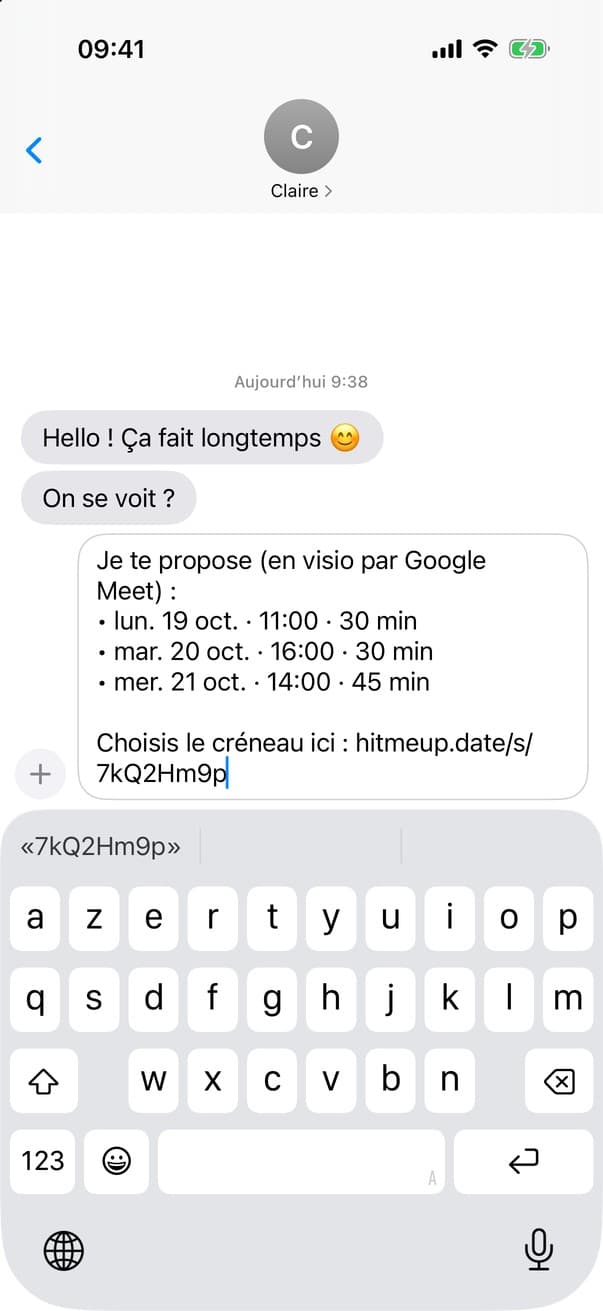
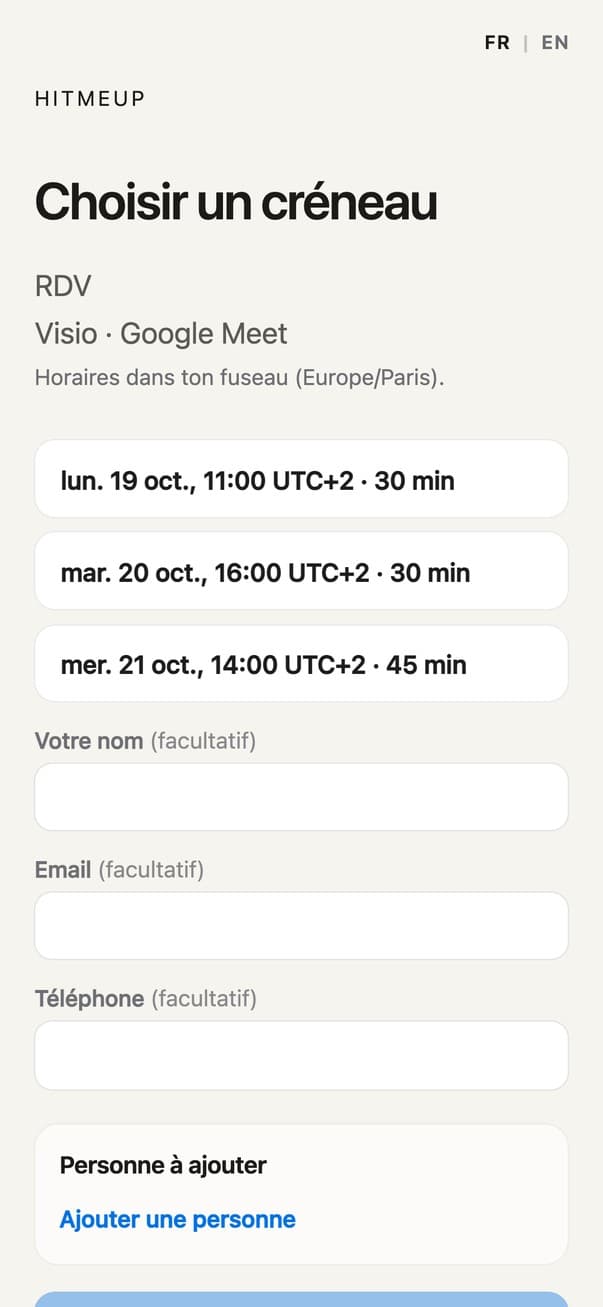

Your Google Calendar, clear, between two subway stops.
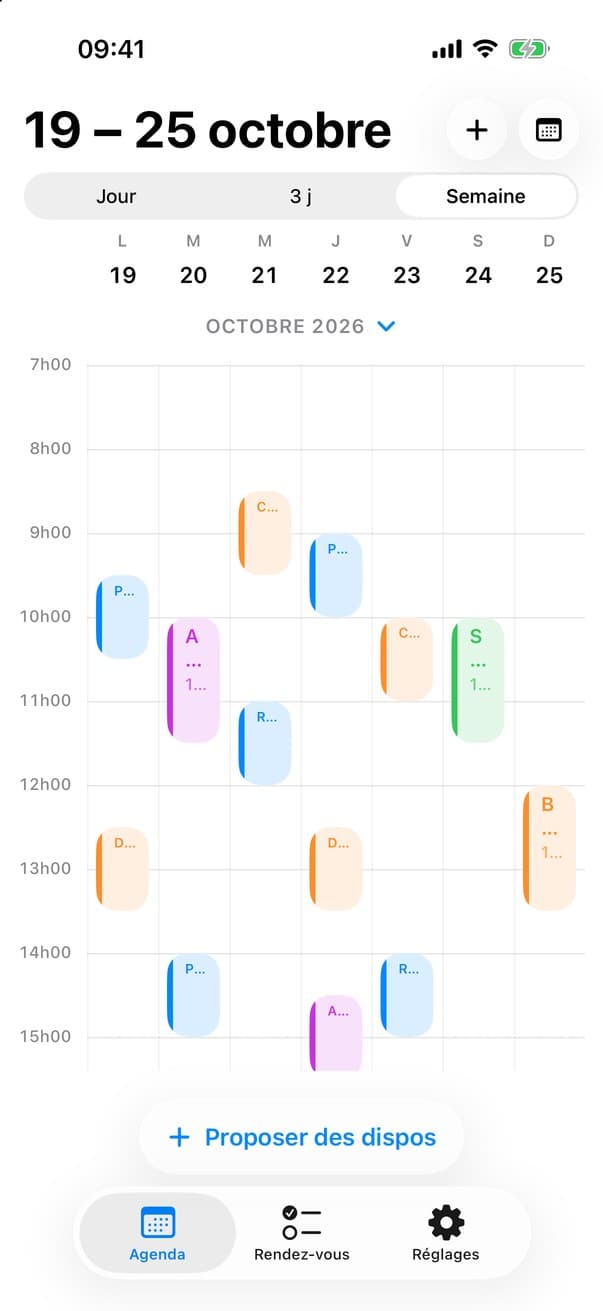
Day, 3 days or week: all your calendars together, and the time you have left.

iOS requires Full Access for a keyboard to use data from its app, here the slots HitMeUp prepares. You can turn it off anytime in Settings; some keyboard features will then be unavailable.
Yes. The HitMeUp keyboard has a full keyboard (AZERTY layout for now) under the days and slots bar, so you type your message and add a slot without switching keyboards.
Not yet. The app is in French for now, and the keyboard uses an AZERTY layout.
Google Calendar today, Outlook connection coming soon.
HitMeUp uses the calendars you connect to know when you're free or busy. Details are in the privacy policy.
The privacy policy explains what stays on your iPhone and what is sent when you share a slot.
Press and hold the globe key and choose HitMeUp.
 HitMeUp